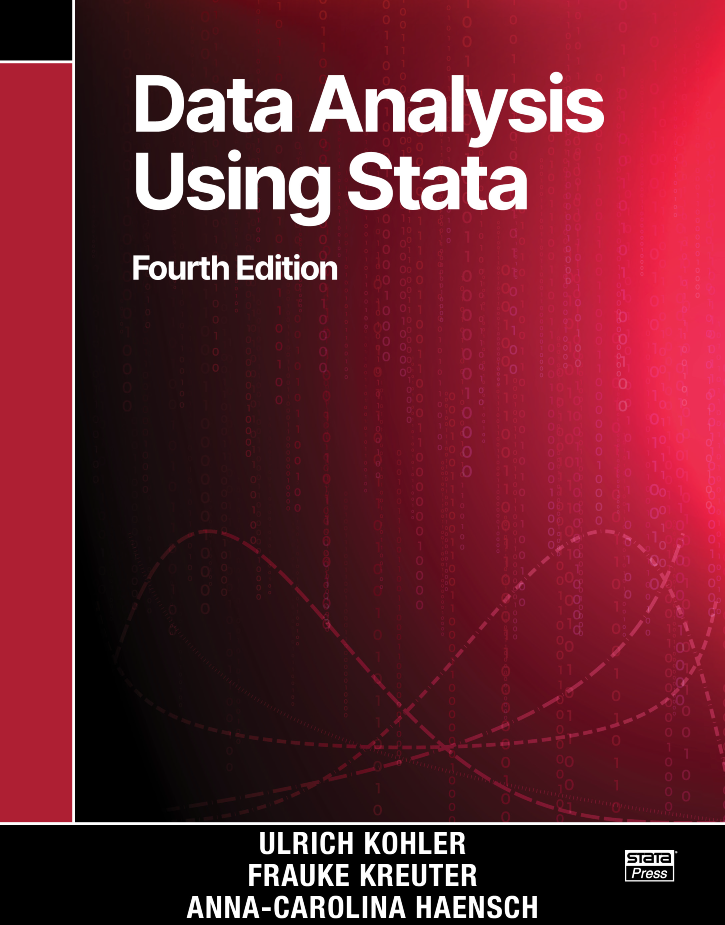
Data Analysis Using Stata, Fourth Edition
125,000원
Author: Ulrich Kohler, Frauke Kreuter, and Anna-Carolina Haensch Publisher: Stata Press Copyright: 2026 ISBN-13: 978-1-59718-453-3 Pages: 576; paperback
Data Analysis Using Stata, Fourth Edition is a perfect resource for anyone just learning statistics and Stata, as well as for users who are switching to Stata from other packages. Kohler, Kreuter, and Haensch take a hands-on approach to teaching, first showing the reader how to use Stata's interface and syntax and then introducing aspects of social science research with examples that allow the reader to work along. Throughout the book, the authors bring concepts to life by using updated data from the German Socio-Economic Panel, a large survey of households containing demographic, income, employment, and other key information.
The authors carefully introduce data management, reporting, and statistical analysis. You will learn to create tables and graphs and to fit and interpret linear and logistic regression models. The authors discuss important statistical topics such as random samples, complex survey samples, nonresponse, and causal inference. Along the way, readers will also learn about tools for automation and programming.
The fourth edition of the book is updated for Stata 19 and expanded to introduce modern research techniques. The book now includes discussion of Python integration and an example demonstrating its use for web scraping. New sections introduce machine learning and discuss the differences between causal inference, parsimonious description, and prediction. The authors explore the use of large language models and provide advice on using AI to support your coding and data-processing tasks. They also introduce dynamic documents for reproducibly documenting your analysis.
Data Analysis Using Stata, Fourth Edition is an excellent textbook for an introductory data analysis or statistics course. Teaching with this book is made easy—the authors include a section in the preface with advice for teaching with the text, and they offer exercises at the end of each chapter. This book is also a fantastic self-study resource for researchers in social sciences who wish to learn Stata and statistics.
Ulrich Kohler is a professor for methods of empirical social research at the University of Potsdam. He is an organizer of the German Stata Conference.
Frauke Kreuter is a professor at the Department of Statistics in the Ludwig-Maximilians-University (LMU) of Munich and director of the Social Data Science Center at the University of Maryland, College Park.
Caro Haensch is a lecturer and group leader at LMU Munich and Assistant Research Professor at the University of Maryland.
All authors have used Data Analysis Using Stata to teach classes and short courses on various levels, including at LMU Munich; the Universities of Potsdam, Mannheim, and Konstanz; the Free University of Berlin; the University of California, Los Angeles; and the University of Maryland.
1.2 Setting up your screen
1.3 Your first analysis
1.3.2 Loading data
1.3.3 Variables and observations
1.3.4 Looking at data
1.3.5 Interrupting a command and repeating a command
1.3.6 The variable list
1.3.7 The in qualifier
1.3.8 Summary statistics
1.3.9 The if qualifier
1.3.10 Defining missing values
1.3.11 The by prefix
1.3.12 Command options
1.3.13 Frequency tables
1.3.14 Graphs
1.3.15 Getting help
Excursus: Large language models as programming help
1.3.16 Recoding variables
1.3.17 Variable labels and value labels
1.3.18 Linear regression
1.5 Dynamic documents
1.6 Exiting Stata
1.7 Around Stata
1.7.2 Updating Stata
1.7.3 Additional procedures
Stata Journal ado-files
Statistical Software Components Archive ado-files
2.1.2 Alternative 2
2.2.2 Line breaks
2.2.3 Some crucial commands
2.4 Exercises
3.1.2 The variable list
List of variables: Required or optional
Abbreviation rules
Special listings
3.1.3 Options
3.1.4 The in qualifier
3.1.5 The if qualifier
3.1.6 Expressions
Operators
Functions
3.1.7 Lists of numbers
3.1.8 Using filenames
3.2.2 The foreach loop
The types of foreach lists
Several commands within a foreach loop
3.2.3 The forvalues loop
Analytic weights
Sampling weights
4.2 Estimation commands
4.3 Integration of other programming languages in Stata
4.4 Export and import from Python
4.4.2 Installing Python modules from within Stata
4.4.3 The Stata Python module
4.4.4 Large language models as programming assistant for Python
5.1.2 Some examples
5.1.3 Useful functions
5.3 Labels
5.4 Specialized recoding commands
5.4.2 The egen command
5.4.3 Changing codes with by, __n, and __N
5.4.4 Subscripts
5.6 Recoding date and time
5.4.2 Time
5.8 Exercises
6.2 Graph types
6.2.2 Specialized graphs
Choice of marker
Marker colors
Marker size
Lines
6.3.2 Graph and plot regions
Graph size
Plot region
Scaling the axes
6.3.3 Information inside the plot region
Reference lines
Labeling inside the plot region
6.3.4 Information outside the plot region
Labeling the axes
Tick lines
Axis titles
The legend
Graph titles
6.4.2 Option by()
6.4.3 Combining graphs
6.6 Graphs with Python (within Stata)
6.7 Large language models as programming help with graphs
6.8 Exercises
7.2 Variables with few categories
Frequency tables
More than one frequency table
Comparing distributions
Summary statistics
More than one contingency table
7.2.2 Graphs
Histograms
Bar charts
Pie charts
Dot charts
Some remarks on grouping data
Special techniques for grouping data
7.3.2 Describing data using statistics
Important summary statistics
The summarize command
The tabstat command
Comparing distributions using statistics
7.3.3 Graphs
Box plots
Histograms
Kernel density estimation
Quantile plot
Comparing distributions with Q–Q plots
8.1.2 Creating fictitious datasets
8.1.3 Drawing random samples
8.1.4 The sampling distribution
8.2.2 Standard errors for complex samples
Typical forms of complex samples
Sampling distributions for complex samples
Using Stata’s svy commands
8.2.3 Standard errors with nonresponse
Unit nonresponse and poststratification weights
Item nonresponse and multiple imputation
8.2.4 Uses of standard errors
Confidence intervals
Significance tests
Two-group mean comparison test
Data-generating processes
Potential outcomes
Controlling for observables
8.3.2 The effect of third-class tickets
8.4.2 Find the best split
8.4.3 The best split for all variables
8.4.4 Continue learning
8.4.5 Training and test
9.1.2 Linear regression using Stata
The table of coefficients
The table of ANOVA results
The model fit table
9.2.2 Derived statistics
Adjusted R2
Standardized regression coefficients
9.2.3 Categorical independent variables
9.2.4 Interaction terms
9.2.5 Regression models using transformed variables
9.2.6 Why do we use multiple regression?
Parsimonious description
Adjustment of the substantive interpretation of regression coefficients
Estimation of causal effects
Prediction
Linearity
Influential data points
Omitted variables
9.3.2 Violation of Var(εi) = σ2
9.3.3 Violation of Cov(εi, εj) = 0, i ≠ j
9.4.2 Plots of coefficients
9.4.3 Profile plots
9.5.2 Controlling for unobserved confounders using panel data
Between, within, and difference in differences
From wide to long format
Within and DID using first principles
First-difference model
Two-way fixed-effects models 9.5.3 Instrumental-variable regression
10.2 Basic concepts
10.2.2 Excursion: The maximum likelihood principle
Sign interpretation
Interpretation with odds ratios
Probability interpretation
Average marginal effects
10.3.2 The iteration block
10.3.3 The model fit block
Classification tables
Pearson chi-squared
10.4.2 Influential cases
10.6 Refined models
10.6.2 Interaction effects
10.7.2 Multinomial logistic regression
10.7.3 Models for ordinal data
11.2 Importing machine-readable data
Reading Excel files
Reading SPSS files
Reading SAS files
Reading other system files
11.2.2 Reading text files
Reading data in spreadsheet format
Reading data in free format
Reading data in fixed format
11.3.2 The input command
11.5 Combining data
11.5.2 The merge command
Merge 1:1 matches with rectangular data
Merge 1:1 matches with nonrectangular data
Merging more than two files
Merging m:1 and 1:m matches
11.5.3 The append command
11.5.4 Combining data with frames
Frames as alternative to merge and append
Frames to collect results
11.7 Unicode
11.7.2 Compatibility issues
11.7.3 Babel
12.2 Four programming tools
Calculating with local macros
Combining local macros
Changing local macros
12.2.2 Do-files
12.2.3 Programs
The problem of redefinition
The problem of naming
The problem of error checking
12.2.4 Programs in do-files and ado-files
12.3.2 Create a first ado-file
12.3.3 Parsing variable lists
12.3.4 Parsing options
12.3.5 Parsing if and in qualifiers
12.3.6 Generating an unknown number of variables
12.3.7 Default values
12.3.8 Extended macro functions
12.3.9 Avoiding changes in the dataset
12.3.10 Help files